Testimonials
"I can say that your products assist to make the process a positive experience, it saves a lot of time as everything is already laid out and easy to follow."
- Jessica, Descrete Australia
Features
Understanding your business processes is critical to ISO 9001. Our Flowchart and Software Package can help.
Implementation:
- Map your existing business processes
- Map your new ISO 9000 compliant processes
Ongoing Quality Management
- Improve Processes
- Create Work Instructions
The 9000 Store provides FlowCharts to help you with these steps, but we also include training and Flowcharting software to help you continuously improve! GREAT VALUE!
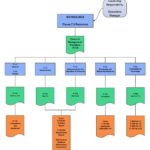
This complete package of 27 flow diagrams integrates with your QMS:
The 5 main flow diagrams (FD # in bold)
- Provide a summary of the QMS and the 5 clauses of ISO 9001:2008.
- Assist in integrating the Quality Manual and Procedures.
The remaining 22 flow diagrams expand on the 5 main diagrams to help you meet the requirements by providing examples of typical activities and processes.
Fully functioning Academic Edition of
Flowcharting Software:*
- Converts Visio Files
- Includes Video Tutorial (But it is so easy to use you won't need it)
The "Mapping Office Workflows" Course helps office workers create and study visual representations of processes that they work in. There are many mapping techniques and each can unveil a different aspect of the workflow. By "seeing" the process from different angles, solutions to nagging problems or convoluted workflows can be easier to see and fix.
The objectives of the course are for the learner to:
- Define the bounds of a workflow.
- Use a variety of process (workflow) mapping techniques.
- Identity hand-offs, disconnects, incomplete communication and rework loops as non-value-adding components (or waste.)
- Plan improvements to workflows.
- Consider a move from batch processing to continuous (or one-piece) flow.
Samples

Flowchart
SmartDraw Demo

Mapping Workflows
Mapping Workflows Training Course
Mapping Office Workflows
helps office workers create and study visual representations of processes that they work in. There are many mapping techniques and each can unveil a different aspect of the workflow. By "seeing" the process from different angles, solutions to nagging problems or convoluted workflows can be easier to see and fix.
The objectives of the course are for the learner to:
- Define the bounds of a workflow.
- Use a variety of process (workflow) mapping techniques.
- Identity hand-offs, disconnects, incomplete communication and rework loops as non-value-adding components (or waste.)
- Plan improvements to workflows.
- Consider a move from batch processing to continuous (or one-piece) flow.
More details can be found on the Mapping Workflow Training Course page.
Contents
Flow Charts
- FD-400 Structure of the QMS
- FD-410 Business Process Map
- FD-415 Management Functions
- FD-423 Control of Documents
- FD-424 Control of Records
- FD-500 Management Responsibility
- FD-510 Management Commitment
- FD-540 Planning Product Realization, Monitoring and Measurement
- FD-545 Quality Objectives
- FD-600 Resource Management
- FD-610 Resource Management
- FD-700 Realization of Product
- FD-710 Manufacturing Process
- FD-712 Contributors-5Ms
- FD-714 Product Realization Quality Plan
- FD-720 Customer Related Processes
- FD-730 Design and Development
- FD-731 Project Timing - Design and Development
- FD-732 Sequence of Development
- FD-740 Purchasing
- FD-750 Process Control
- FD-751 Process Control Steps
- FD-752 Post Delivery Service Process
- FD-753 Identification and Traceability
- FD-800 Measurement, Analysis and Improvement
- FD-840 Continual Improvement
- FD-852 Corrective Action
NOTE: If you would like to purchase some separately, please contact us. ($10 each)
Two Hour Online Course
- Overview of Workflows
- Mapping methods
- Overview of Workflows
- What's a workflow?
- Which methods unearth what?
- Why map workflows?
- Brown Paper Flows
-
Brown Paper Flows
- Constructing brown paper flows
- Why a brown paper flow?
- Workflow Diagrams
-
Analyzing a workflow diagram
- Brown paper flows compared to workflow diagrams
- Construction a workflow diagram
- Workflow Diagrams
- Flowcharts
-
Constructing flowcharts
- Flowcharts
- How flowcharts compliment workflow diagrams
- Types of flowcharts
- Why flowchart a process
- Value Stream Mapping
-
Current state maps and future state maps
- Making the future state map a reality
- Value Stream Mapping
- Value stream mapping icons
- What is a value stream map?
- Challenge (Course Test)
- Printable Certificate
Flowchart Descriptions
Compare Products:
* SmartDraw was designed for Microsoft Windows operating systems (7, Vista, XP, ME, 2000 and 98). It is currently not offered in a Mac version. You may try running SmartDraw using a PC emulation like Virtual PC, but it is not guaranteed to work as intended. The SmartDraw Academic Edition adds a small watermark to all graphics created with the program.